Key Takeaways GPS Tracker Battery Optimisation: A Pro Guide
• Update Frequency: The single biggest factor affecting battery life is how often the tracker sends location updates. Reducing the update interval from every 10 seconds to every 10 minutes can extend battery life exponentially.
• Intelligent Sleep Modes: Most modern GPS trackers have smart sleep modes that automatically power down non-essential functions when the tracker is stationary, waking up only when movement is detected.
• Signal Strength: A tracker in an area with poor GPS or mobile signal will use more power trying to establish a connection. Placing the device where it has a clear view of the sky helps conserve energy.
• Temperature: Extreme cold is the enemy of battery life. Cold temperatures can temporarily reduce a lithium-ion battery's capacity by up to 20-30%. Keep the device insulated where possible.
• Device Choice Matters: The best way to optimise battery life is to choose the right device from the start. Hardwired trackers eliminate battery concerns, while premium magnetic units have larger batteries and more efficient software.
GPS tracker battery optimisation primarily revolves around managing how frequently the device communicates its location and leveraging its built-in power-saving modes. The more often a tracker has to acquire a GPS signal and transmit data over the mobile network, the faster its battery will drain. Therefore, by adjusting settings like the update interval and ensuring the device can enter a "deep sleep" mode when stationary, you can dramatically extend its operational life from days to weeks or even months. To get the best performance from the outset, it is crucial to select a device designed for efficiency, which you can find by exploring a professional range of GPS trackers.

Understanding What Drains a Tracker's Battery
A GPS tracker might seem like a simple device, but it's a sophisticated piece of technology performing several power-hungry tasks. Understanding these processes is the first step toward optimising battery performance.
The two main components responsible for battery drain are:
- The GPS Module: This component communicates with satellites to pinpoint its location. Acquiring a "cold fix" (finding its position from scratch) uses significantly more power than updating an existing position.
- The GSM/GPRS Module: This is the cellular radio that connects to mobile networks (like a phone) to transmit the location data to the server, allowing you to see it on your app.
Every time your tracker provides a location update, it completes this two-step process. Therefore, the frequency of these updates is the most critical factor influencing battery consumption. A tracker set to report its position every 10 seconds is performing this energy-intensive cycle 60 times more often than one set to report every 10 minutes.
Practical Steps for Battery Optimisation
You can take several practical steps to get the most out of your tracker's battery. Most of these can be configured through the device's associated app or web portal.
1. Adjust the Reporting Interval
This is your most powerful tool. Ask yourself what level of tracking you truly need.
• Live, Real-Time Tracking (10-30 seconds): Ideal for active security monitoring or managing a fleet of delivery drivers. Expect this to consume the battery quickly, often within a few days for a portable unit.
• Journey Tracking (2-5 minutes): A great balance for most users. It provides a detailed picture of a journey without the constant power drain of live tracking.
• Location Check-ins (1-4 hours): Perfect for long-term asset protection where you only need to confirm the asset's location periodically. This can extend battery life to several weeks or months.
2. Utilise Intelligent Sleep Modes
Modern GPS trackers are not designed to be "on" all the time. They have sophisticated power management modes.
• Deep Sleep Mode: The most common setting. The tracker uses its internal motion sensor to detect when it has been stationary for a few minutes. It then shuts down both the GPS and GSM modules, drawing minimal power. As soon as it detects movement, it wakes up and resumes tracking.
• Scheduled Reporting: Some advanced trackers allow you to set specific times for the device to wake up and report its location, for example, once every 24 hours. This is the ultimate power-saving mode for assets that are stationary for long periods.
3. Consider Physical Placement
Where you put your tracker has a direct impact on its battery life. A tracker with a poor signal has to "shout" to be heard, using more power.
• Clear View of the Sky: Place the tracker where it has the best possible line of sight to the sky. Avoid placing it deep within metal enclosures or under multiple layers of materials.
• Avoid Temperature Extremes: Lithium-ion batteries, which power most GPS trackers, perform optimally at room temperature. In very cold weather (below 0°C), their effective capacity can be significantly reduced. If you're tracking an asset in winter, try to place the tracker in a more insulated spot.
If you are struggling to find a device with the right balance of features and battery life, you can compare a wide variety of specialist GPS trackers to find the perfect match for your needs.
The Hardwired Option: Eliminating Battery Worries
For many users, particularly those securing vehicles like cars, vans, or motorbikes, the best battery optimisation strategy is to eliminate the battery concern altogether.
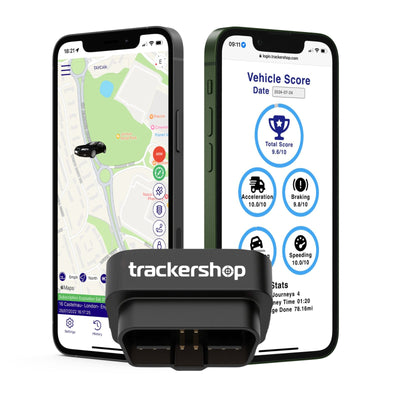
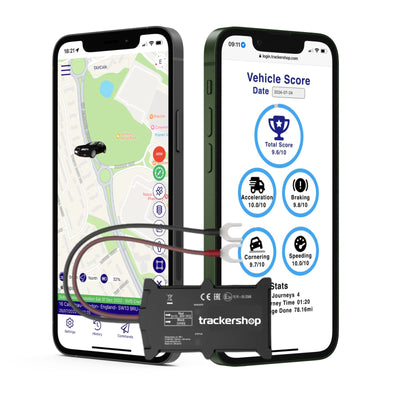
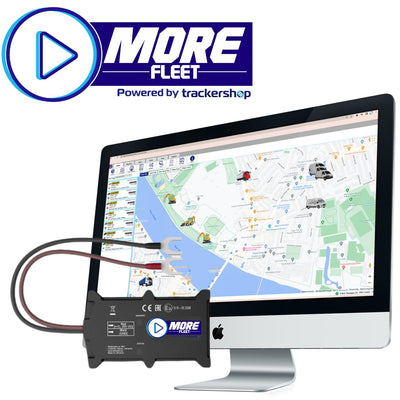
A hardwired tracker is connected directly to the vehicle's electrical system. It draws a tiny amount of power from the vehicle's battery to operate and keep its own small internal backup battery charged. This "fit and forget" solution means you never have to worry about recharging.
These systems are also equipped with intelligent voltage sensors. They monitor the vehicle's battery and will enter an ultra-low power mode if they detect the main battery's charge is getting low, ensuring the tracker will not leave you with a flat battery.
Conclusion: A Smart Approach to Power Management
Optimising the battery life of your GPS tracker is a balancing act between the detail of the tracking you require and the longevity you want to achieve. By being strategic with your settings, you can ensure your device operates efficiently and is ready to perform when you need it most.
Start by choosing a high-quality device with flexible software, adjust the update frequency to match your actual needs, and make sure its power-saving sleep modes are enabled. For ultimate peace of mind and zero battery maintenance, a professionally installed hardwired tracker is an unbeatable solution.
Don't let battery anxiety compromise your security. Take control of your device's settings and ensure your assets are protected around the clock. To find a tracker with the ideal power management features for your application, explore our comprehensive selection of professional GPS trackers today.